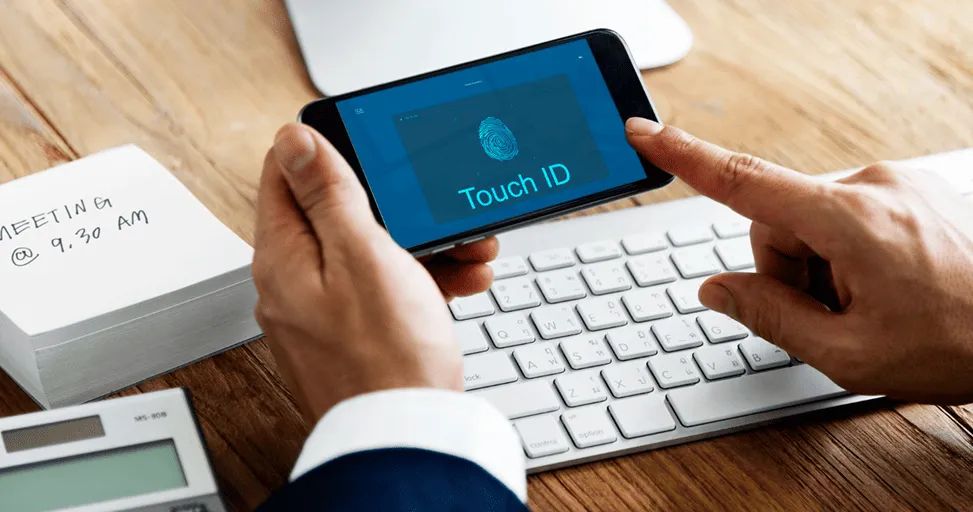
Best iPhone Settings to Change for Privacy in 2026
Most people buy an iPhone, go through the setup process, install their favorite apps, and never look back. The settings menu becomes one of those places you only visit when something stops working.
Nobody buys a new phone because they’re excited to spend an hour reviewing privacy options. They’re more interested in taking photos, sending messages, watching videos, and getting everything set up as quickly as possible. The problem is that modern smartphones know a lot about us.
Where we go.
What we search for.
Which apps we use.
Who we talk to.
What we buy.
And while Apple has built a strong reputation around privacy, many of the best privacy tools are only useful if you actually know they’re there. The best part is that improving your privacy doesn’t require complicated technical knowledge. A few small changes can give you more control over your personal information while allowing you to use your iPhone exactly as you always have.
Take a Look at Which Apps Know Your Location
Have you ever downloaded an app and immediately tapped “Allow” when it asked for your location? Most people have. At the time, it seems harmless. You just want the app to work.
Months later, however, you might be surprised by how many apps still have access to your location. Some of them genuinely need it. Navigation apps, weather apps, ride-sharing services, and food delivery platforms wouldn’t be very useful without knowing where you are. Others aren’t quite so obvious.
That’s why it’s worth spending a few minutes checking your location settings. You may discover apps that don’t really need access all day long. In many cases, changing permissions to “While Using the App” gives you the same functionality while sharing less information in the background.
Stop Apps From Tracking You Across Other Apps
Have you ever searched for a product online and then started seeing advertisements for it everywhere? It can feel a little unsettling. Apple introduced App Tracking Transparency to give users more control over this kind of tracking.
If you’ve been using your iPhone for a while, there’s a good chance you’ve seen apps asking for permission to track your activity. Many people tap through those requests without paying much attention.
Taking a moment to review this setting is worthwhile. Limiting app tracking won’t suddenly make advertisements disappear, but it can reduce how much information is shared across apps and websites. For many users, that’s reason enough to enable it.
Check Which Apps Can Use Your Camera and Microphone
Think about how many apps you’ve installed over the years. Now think about how many of them have access to your camera and microphone. The number is usually higher than expected.
Of course, some permissions make perfect sense. Video calling apps need camera access. Voice recording apps need microphone access. Social media apps often use both. The issue is that many permissions stay enabled long after you’ve stopped using certain apps.
Reviewing camera and microphone access only takes a few minutes and can help you remove permissions that are no longer necessary. It’s one of those things most people never think about until they actually check.
Your Photo Library Contains More Than Just Photos
Years ago, photo libraries mostly contained pictures from holidays and family gatherings. Today, they’re much more than that.
-
Screenshots
-
Receipts
-
Travel documents
-
Work files
-
Personal notes
Important information people save for later. Modern versions of iOS allow you to decide whether apps can access your entire photo library or only selected photos. That’s a feature worth taking advantage of. If an app only needs one image, there’s often no reason for it to have access to thousands of others.
Hide Sensitive Information on the Lock Screen
Imagine your phone is sitting on a table.
A message arrives.
An email notification appears.
A verification code pops up.
Even though your phone is locked, someone nearby may still be able to read that information. Many users never realize how much information is visible from the lock screen.
Changing notification previews so they only appear after Face ID recognizes you is a simple adjustment that adds an extra layer of privacy. It’s a small change, but one that many people end up appreciating once they enable it.
Pay Attention to Apps You Haven’t Used in Months
One thing I’ve noticed is that most people have dozens of apps sitting on their phones that they completely forgot about.
An app downloaded for a vacation.
A shopping app used during a sale.
A game that seemed fun for a week.
The interesting thing is that some of those apps may still have permissions you’ve granted in the past.
Location access.
Photos access.
Contacts access.
Microphone access.
Reviewing old apps occasionally is a good habit. If you’re not using an app anymore, there’s no real reason for it to keep access to your personal information.
Use App Privacy Reports
This is probably one of the most underrated privacy features on the iPhone. App Privacy Report gives you a behind-the-scenes look at what apps are doing. It can show how often apps access your location, camera, microphone, photos, and other permissions. Most people won’t check it every day. That’s not the point.
The value comes from occasionally taking a look and understanding how apps interact with your device. Sometimes you’ll see exactly what you expect. Other times, you may discover an app is accessing information far more often than you realized.
Keep Your iPhone Updated
Software updates aren’t exactly exciting. Most people postpone them. Sometimes for weeks or even months. The thing is, many updates aren’t about adding flashy features. They’re about fixing security issues and improving privacy protections. Every update contains small improvements working behind the scenes.
Installing updates won’t dramatically change how your phone looks, but it can help protect the information stored on it. And considering how much personal data lives on modern smartphones, that’s a pretty important benefit.
Privacy Doesn’t Have to Mean Giving Up Convenience
One misconception people have about privacy is that they need to disable everything.
Turn off every permission
Block every feature
Avoid every app
In reality, privacy is usually about balance. A navigation app needs your location. A video calling app needs your camera. A messaging app may need access to your contacts.
The goal isn’t to say no to everything. The goal is understanding why an app needs access and deciding whether that access makes sense. Most privacy decisions become much easier when viewed that way.
Final Thoughts
Privacy settings aren’t the most exciting part of owning an iPhone. Most people would rather explore the camera or try new features than spend time digging through menus. But taking fifteen or twenty minutes to review a few key settings can make a bigger difference than many people realize.
Your iPhone contains a huge part of your daily life. Photos, conversations, passwords, financial information, and personal memories all live inside a device you carry everywhere. That’s why it’s worth knowing who has access to what.
Not because you should worry about every app. But having control over your information is always better than giving it away without realizing it. And fortunately, Apple provides plenty of tools to help you do exactly that.
Trending Blogs
Best Android Settings to Change After Buying a New...
Set up your new Android phone properly with key settings for notifications, permissions, display, security, backup, and battery.
iOS vs Android in 2026: Which Is Better for You?
Learn the practical differences between iPhone and Android phones so users can decide which platform fits their needs better.
Apple Intelligence in iOS: What It Can Actually Do
Explore what Apple Intelligence can do on supported iPhones and how it may improve productivity, communication, and personalization.
iOS 26 Features Explained for Everyday iPhone User...
Learn how iOS 26 changes the iPhone experience with updated visuals, smarter tools, better communication, and everyday convenience features.
Android Foldables: What Users Should Know Before B...
Compare foldable phone benefits and drawbacks, including screen durability, app support, multitasking, battery life, cameras, and price.
How to Make an Android Phone Feel Faster Without U...
Learn how to reduce lag by managing storage, apps, animations, background activity, updates, and battery settings.