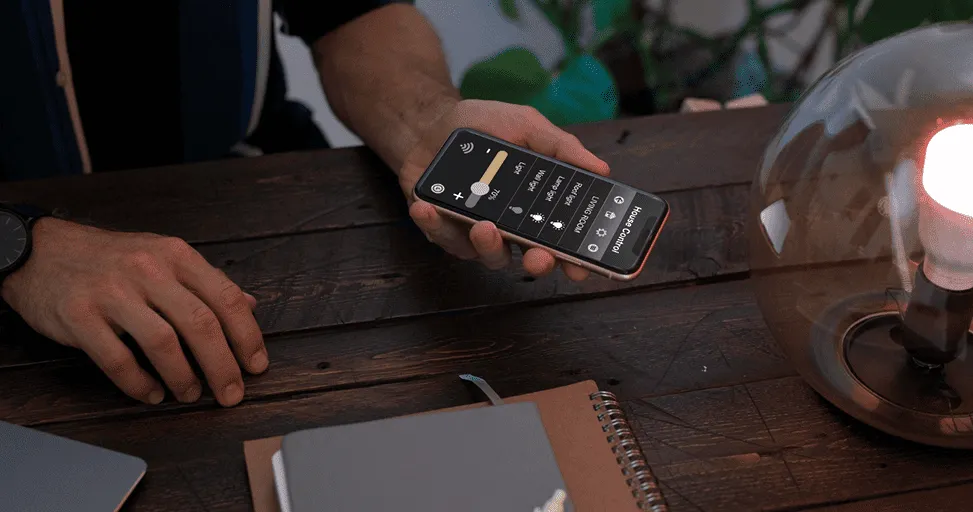
How to Make an Android Phone Feel Faster Without Upgrading
Let’s be honest. Most of us have had that moment. Your phone starts feeling slower than it used to. Apps take longer to open. Web pages load a little slower. Switching between apps doesn’t feel as smooth. And before long, you start wondering if it’s time to buy a new phone.
The interesting thing is that many Android phones don’t actually become slow overnight. It usually happens gradually. A little slowdown here. A little lag there.
Until one day you realize your phone doesn’t feel as fast as it did when you first bought it. Well, you don’t always need a new device. In many cases, a few simple changes can make your Android phone feel noticeably faster without spending a single dollar.
Restart Your Phone More Often Than You Think
This sounds almost too simple. But you’d be surprised how many people go weeks without restarting their phones. Modern smartphones are designed to stay on all the time, which is convenient. The downside is that apps, background processes, and temporary files can build up over time.
A quick restart clears many of those temporary processes and gives the system a fresh start. It’s not a miracle fix. But if your phone feels sluggish, restarting it is often the easiest place to begin. And, it’s amazing how often it helps.
Remove Apps You Never Use
Take a moment and look through your app drawer. Chances are you’ll find apps you haven’t opened in months. Maybe even years. We’ve all downloaded apps for a specific reason and then forgotten about them completely.
The problem is that some of those apps continue running background processes, checking for updates, sending notifications, and consuming resources. The more unnecessary apps sitting on your phone, the more work your device has to do. Removing unused apps won’t turn an old phone into a flagship device. But it can definitely make things feel cleaner and more responsive.
Check What’s Running in the Background
One thing many people don’t realize is that some apps continue working even when you’re not actively using them.
-
Social media apps
-
Shopping apps
-
News apps
-
Gaming apps
-
Various utility tools
Many of them regularly refresh data in the background. Individually, the impact may seem small. Collectively, it can affect performance and battery life. Android gives users options to limit background activity for apps that don’t need constant access. And reducing unnecessary background activity can help your phone feel more responsive throughout the day.
Free Up Some Storage Space
This is one of the most common reasons phones start feeling slow. Storage fills up gradually.
-
Photos
-
Videos
-
Downloads
-
Screenshots
-
Apps
-
Documents
Before you know it, you’re running low on available space. When storage becomes crowded, Android has less room to work efficiently. The result can be slower performance, longer loading times, occasional lag, and even app crashes.
You don’t need to keep your phone half empty. But maintaining some free space can make a noticeable difference. Sometimes deleting a few large videos or old downloads is enough to improve performance.
Reduce Unnecessary Widgets
Widgets can be useful.
-
Weather information.
-
Calendar appointments.
-
Notes.
-
Fitness tracking.
Many people rely on them daily. The problem is that every widget on your home screen is constantly updating information. One widget isn’t usually a problem. Several widgets updating simultaneously can place additional demands on your phone.
If you’re trying to improve performance, take a look at your home screen. Ask yourself which widgets you actually use. Removing a few unnecessary ones can help reduce background activity and make things feel smoother.
Keep Your Software Updated
A lot of people delay software updates because they seem inconvenient. The update notification appears.
You tap “Later.” Then you tap “Later” again. And again. We’ve all done it. But software updates often include performance improvements, bug fixes, and optimization changes designed to make your device run more efficiently.
Not every update delivers dramatic improvements. But over time, they can help keep your phone running smoothly. It’s one of the easiest ways to maintain good performance.
Turn Off Animations If You Want a Faster Feel
Here’s a little trick many Android users don’t know about. Animations make Android feel polished.
-
App transitions.
-
Window effects.
-
Screen movements.
Everything looks smooth and modern. The downside is that animations take time. Even if it’s only a fraction of a second.
By reducing or disabling certain animations in Developer Options, many phones immediately feel faster. The phone isn’t actually becoming more powerful. It’s simply spending less time displaying visual effects. And the result often feels surprisingly snappy.
Clear App Cache Occasionally
Over time, apps collect temporary files known as cache data. This helps apps load information faster. But sometimes cache files grow excessively large or become cluttered. When that happens, performance can occasionally suffer.
Clearing cache data for frequently used apps can help resolve strange slowdowns and loading issues. Especially for apps like browsers, social media platforms, and streaming services. You don’t need to do this every week. But it’s worth considering if a specific app starts behaving poorly.
Use Lite Versions of Apps When Available
Not every phone has the latest processor or massive amounts of memory. And that’s perfectly fine. Many popular services offer lighter versions of their apps designed for older devices and slower connections. These versions often use less storage. Consume less memory. And require fewer resources.
If your phone is starting to show its age, switching to lighter apps can make a surprisingly big difference. Sometimes less really is more.
Check Your Battery Health
This is something many people overlook. As batteries age, performance can sometimes be affected. Phones may become less responsive when dealing with battery-related limitations.
If your device is several years old and experiencing both battery issues and slow performance, the battery could be part of the problem. In some cases, replacing an aging battery can make a phone feel much better without replacing the entire device. It’s not always necessary. But it’s worth considering before upgrading.
Don’t Fall for Every “Phone Cleaner” App
This is probably one of the most important tips. Whenever a phone starts feeling slow, many people immediately search for cleaner apps. The internet is full of promises. Boost performance. Clean memory. Speed up your phone instantly.
The reality is that many of these apps provide little benefit. Some actually consume resources themselves. Android already includes tools for managing storage, memory, and performance. In most cases, you’re better off using built-in settings rather than relying on questionable optimization apps.
Sometimes a Factory Reset Can Help
If your phone has been heavily used for several years and nothing else seems to help, a factory reset may be worth considering. It’s a bigger step. And you’ll want to back up your data first.
But starting fresh can remove years of accumulated clutter, unused settings, and leftover files. Many people are surprised by how much faster their phone feels afterward. Think of it as giving your phone a clean slate. Not something you need to do often. But sometimes it can make a dramatic difference.
Final Thoughts
It’s easy to assume a slow phone means it’s time for an upgrade. Sometimes that’s true. But often, the problem isn’t the hardware. It’s everything that’s accumulated over months or years of everyday use.
-
Unused apps.
-
Full storage.
-
Background activity.
-
Outdated software.
Small issues that gradually add up. The good news is that many of these problems are easy to fix. A few small adjustments can make your Android phone feel noticeably faster without spending money on a brand-new device. And honestly, if you can get another year or two of smooth performance from the phone you already own, that’s usually a win.
```
Trending Blogs

Best Android Settings to Change After Buying a New...
Set up your new Android phone properly with key settings for notifications, permissions, display, security, backup, and battery.
iOS vs Android in 2026: Which Is Better for You?
Learn the practical differences between iPhone and Android phones so users can decide which platform fits their needs better.

Best iPhone Settings to Change for Privacy in 2026
Improve iPhone privacy by reviewing app permissions, location sharing, ad tracking, Safari settings, and security recommendations.

Apple Intelligence in iOS: What It Can Actually Do
Explore what Apple Intelligence can do on supported iPhones and how it may improve productivity, communication, and personalization.
iOS 26 Features Explained for Everyday iPhone User...
Learn how iOS 26 changes the iPhone experience with updated visuals, smarter tools, better communication, and everyday convenience features.
Android Foldables: What Users Should Know Before B...
Compare foldable phone benefits and drawbacks, including screen durability, app support, multitasking, battery life, cameras, and price.